Find it. Link it. Anchor and Annotate it.
Your Copywriters Weren't Hired to Annotate. They Were Hired to Create.
SecureCHEK AutoAnnotateSM automates MLR annotation prep, so your talent creates instead of chasing references.
Request a DemoHow AutoAnnotate works
SecureCHEK AI Automatically:
- Step 1
Step 1: Identifies Claim
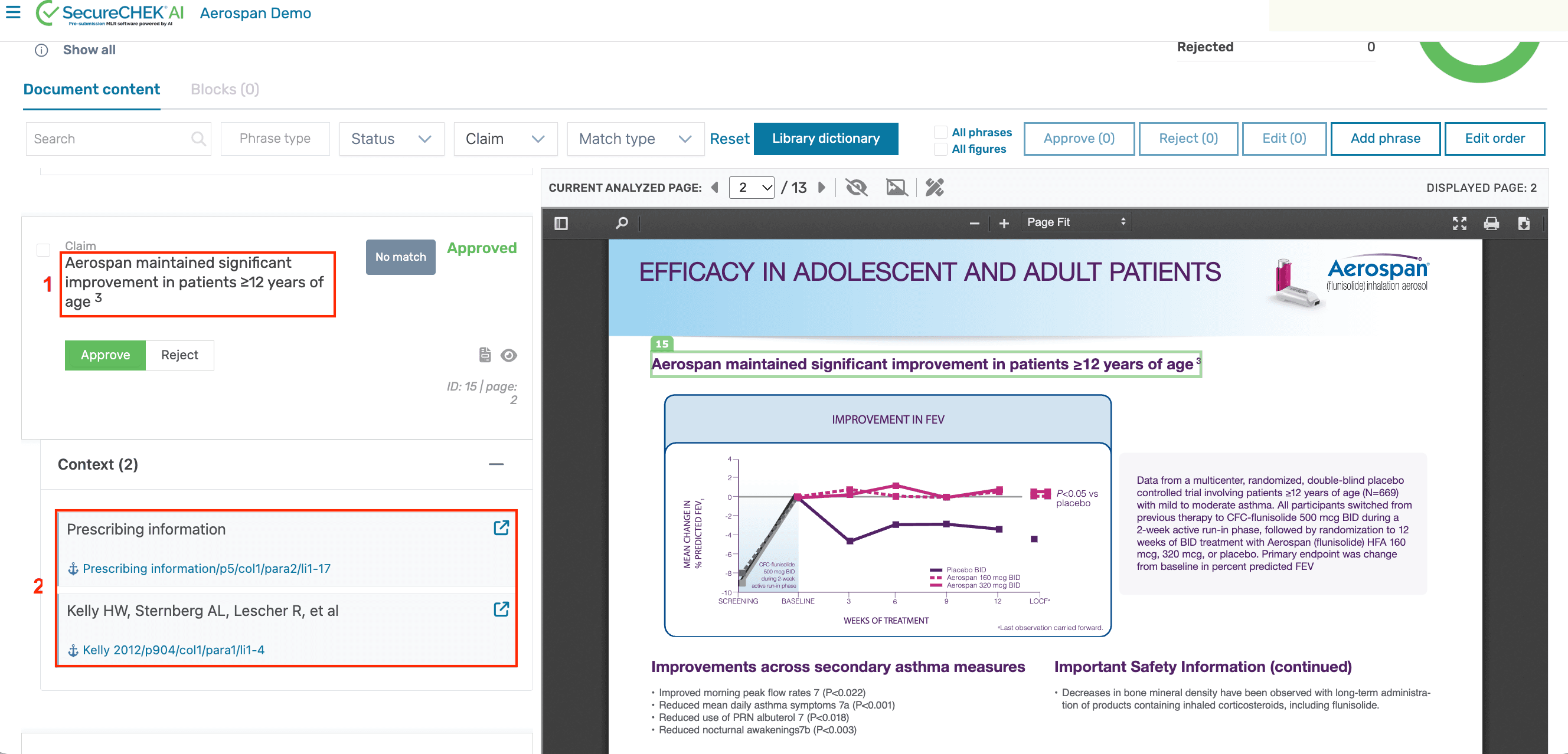
Automatically identifies the claims in your content that need substantiation.
- Step 2
Step 2: Links Reference
Finds and links the correct supporting references from your approved library.
- Step 3
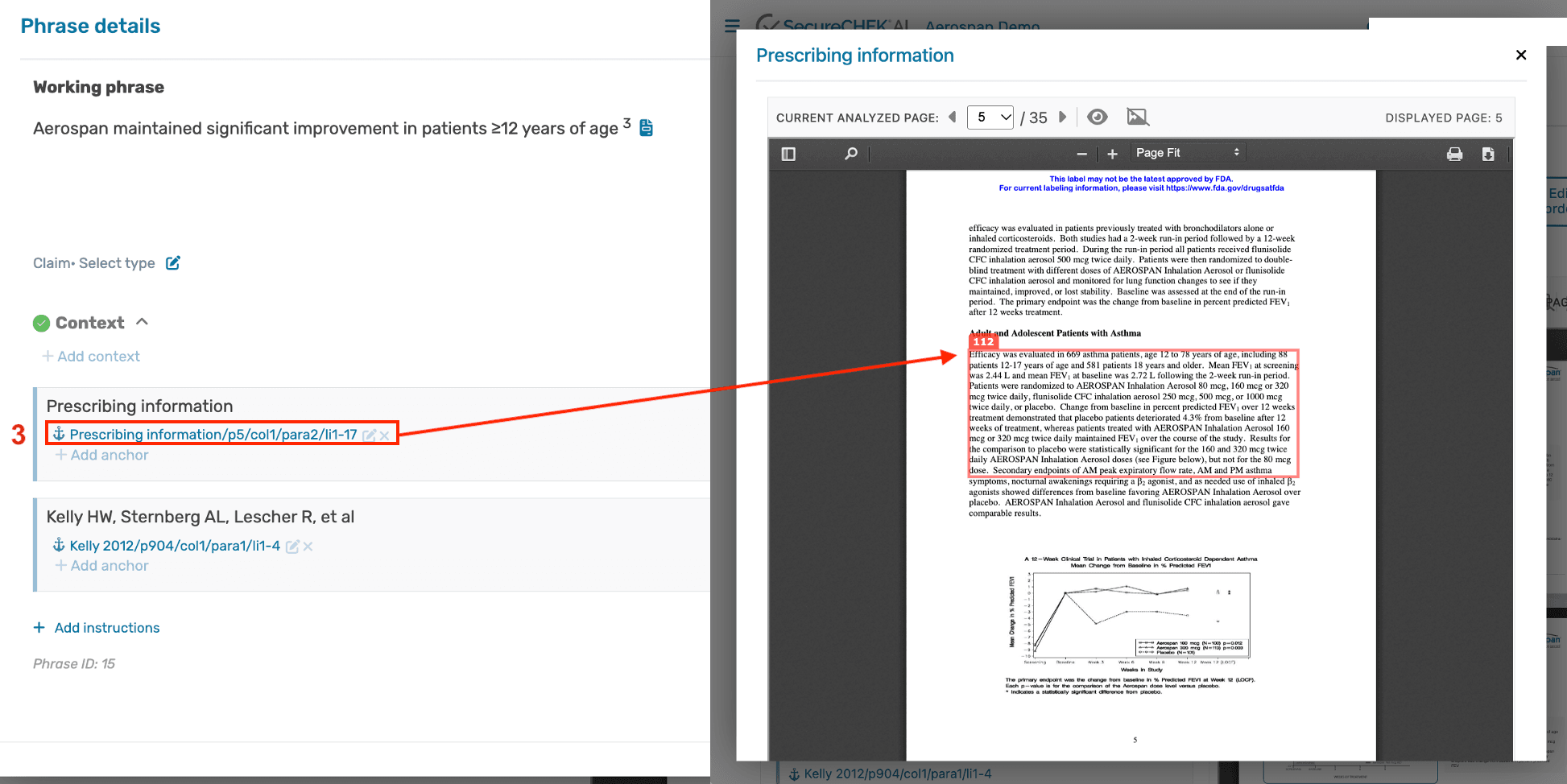
Step 3: Anchors and Annotates Evidence
Anchors each claim to the exact supporting passage and captures a traceable, annotated path, ready to export as a PDF.
Built on your claims library and prechecking
AutoAnnotate is part of one connected MLR system. It works because of the two engines beneath it.
Centralized claims library
A validated, searchable source of truth for approved claims, references and evidence, giving AutoAnnotate the approved sources it links claims to.
Prechecking
Compares new content against your approved libraries before MLR review, flagging what is new, different or risky so only review-ready material moves forward.
AutoAnnotate
Links each claim to its approved evidence, anchors it to the exact source passage, and exports a submission-ready annotated PDF.
The library supplies the approved content. Prechecking enforces it. AutoAnnotate does the mechanical claim-to-evidence linking and PDF generation. Together, one faster MLR submission process.
Built for agencies
- More creative time
- Faster submission prep
- Better use of talent
- Clearer evidence trails
More than a generic AI shortcut.
MLR reviewers need to know exactly what evidence supports each claim and where to find it, so accuracy, source traceability and reliability are built in.
Download the one-pager
Download the AutoAnnotate one-pager (PDF)Frequently Asked Questions
What is MLR annotation software?
Software that automatically identifies claims in promotional content and links them to approved supporting evidence for Medical, Legal and Regulatory review.
How does automated claim-to-evidence linking work?
AutoAnnotate finds the reference, anchors the claim to its source in the asset, and captures a traceable path, then exports an annotated PDF.
Is AutoAnnotate built for agencies?
Yes. It automates the manual annotation work that slows agency submission workflows and frees skilled copywriters for creative work.
Can automated annotation reduce MLR review rounds?
By making substantiation easy to trace before review begins, reviewers reach evidence faster, which can reduce avoidable questions and extra rounds.
How does AutoAnnotate connect to our claims library and prechecking?
AutoAnnotate links claims to evidence from your centralized claims library, while prechecking compares new content against those approved libraries before review, so only review-ready material reaches MLR.